




Your creative team works in Figma. Your performance team needs 500 ad variations by Friday. Your brand guidelines can't budge. Something's got to break, and it's usually the designers.
This tension between creative quality and marketing scale isn't new, but it's getting worse. Ad fatigue hits faster than ever, algorithms demand more variations, and your creative team is drowning in requests for "just one more version".
The usual solution? Tools that promise to "streamline" your workflow by forcing designers into unfamiliar platforms, churning out cookie-cutter templates that look nothing like your brand. No wonder creative teams resist.
Hunch takes a different approach. Instead of replacing your creative workflow, we extend it. One Figma file becomes a thousand personalized ads, all on-brand, all automatically updated, without your designers touching every single variation.
Here's how that actually works in practice.
Your design team shouldn't have to change how they work
When you force designers to abandon Figma or Photoshop for some proprietary editor, you're not streamlining anything. You're creating resentment. Your team spent years mastering their tools, and now they're back to hunting for basic features while their backlog explodes.
This is why creative automation platforms fail. They solve the marketer's problem while creating a bigger one for designers. The performance team gets their variations, but creative quality drops because designers are wrestling with unfamiliar tools instead of actually designing.
Hunch meets designers where they are
Hunch doesn't replace your creative workflow. Your team builds templates in Figma or Photoshop like they always have, then imports them into Hunch. That's it. The designer's job ends with the base template.
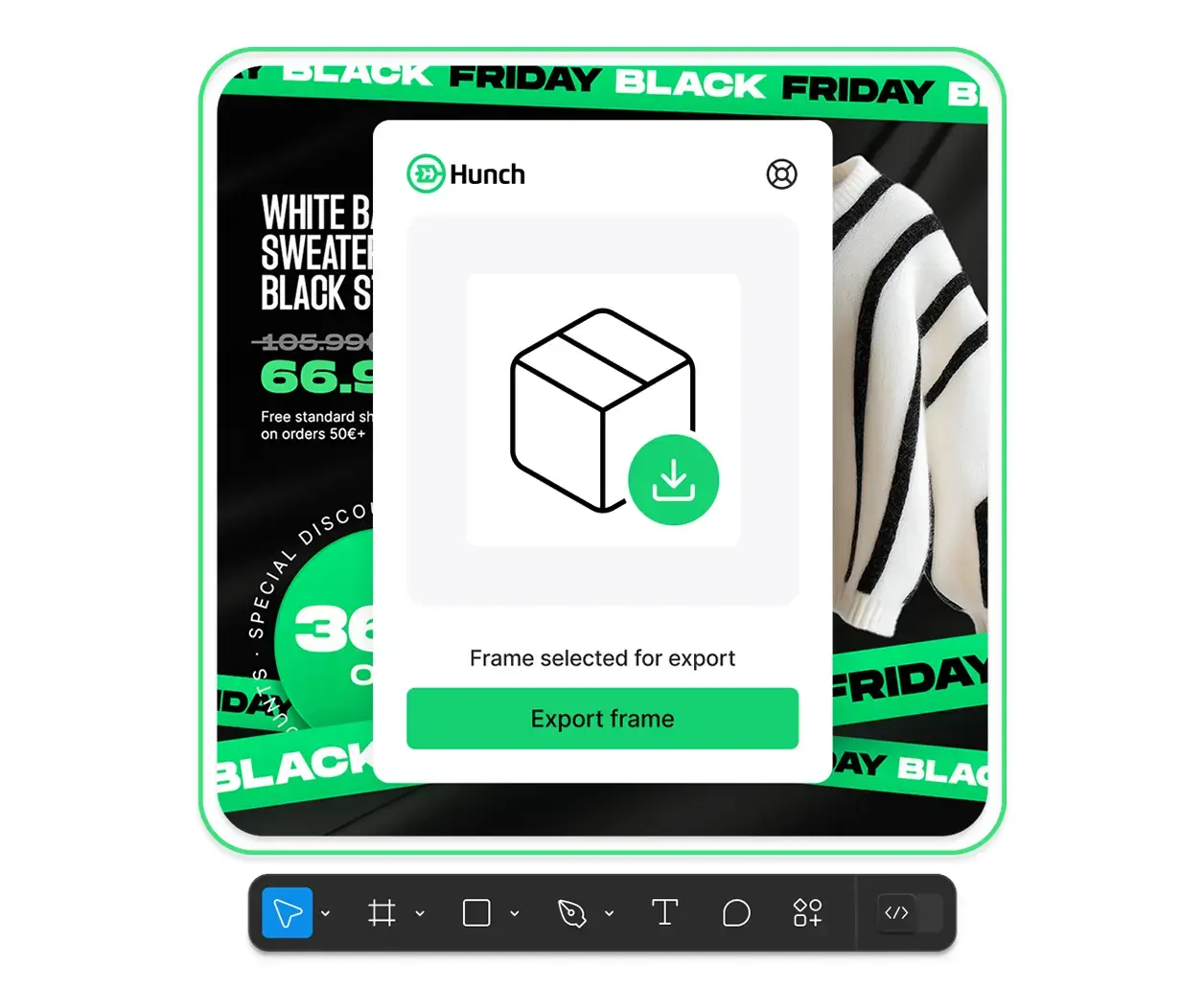
From there, marketers and copywriters handle scaling through connected Google Sheets. Dynamic fields pull in new copy, product data, and assets while your brand layers stay locked. Designers maintain creative control over typography, colors, and layout boundaries. Automation just handles the repetitive stuff.
The creative team designs one stellar template in Figma. The performance team needs 300 variations across product lines, regions, and messaging angles. Traditionally, that's where the relationship breaks down and the Slack messages get passive-aggressive.
One on-brand template turns into hundreds of on-brand variations
This is where the workflow changes. Designers create the template once and set which elements stay fixed. Logos, colors, typography, and core layout stay locked. That ensures every variation still looks like your brand.
Everything else can flex. Dynamic fields sync with a spreadsheet or your product catalog. Product images, copy blocks, badges, CTAs, and regional variations update instantly when you change a row in the sheet. Weekend sale? Update one cell. New pricing? Add a line. A new product drop? Add a row. The template adapts without touching the design again.

From design file to data-driven personalization
The process stays simple. Import a Figma or Photoshop file. Hunch reads the layers. It identifies what is static and what is dynamic. It connects flexible fields to your data sources. The performance team then generates hundreds of variations without asking designers for new files.
This is not automation that replaces creative judgment. It is automation that amplifies it. One high-quality template becomes a living campaign that stays on brand while adapting across products, audiences, and markets.
How brands regain visual control of their catalog ads
Catalog ads often look disconnected from the rest of your brand. White backgrounds. Product cutouts. Generic layouts.
Designers can fix this, but scaling DPA templates manually is nearly impossible. Updating a thousand products one by one is not a workflow any team can sustain.
Hunch solves this by letting designers define every creative rule inside their preferred tool. They set layout boundaries, text limits, gradient treatments, color overlays, and spacing. They decide what can change and what can never move.
Automation respects those rules. A change in the spreadsheet updates the ad instantly without breaking the design. The creative team keeps quality high. The performance team gets the volume they need.
The real benefit: time back for strategic creative work
Designers did not learn their craft to make endless small variations. They want to develop campaigns, explore new concepts, and push the brand forward.
With Hunch, they create the template once, import it, and step out. Marketers handle the scaling. Localization does not interrupt the design team. Urgent requests disappear. Creative teams reclaim hours that were previously spent on repetitive production tasks.
The bottom line
Creative quality and marketing scale are not opposing goals. Hunch bridges the gap by letting designers stay in their trusted tools while performance teams generate the variations they need. Designers set the rules once. Automation follows those rules at any scale.
If you want to see how this workflow applies to catalog ads, check out our creative page and explore how your team can move from manual production to scalable creative systems.
